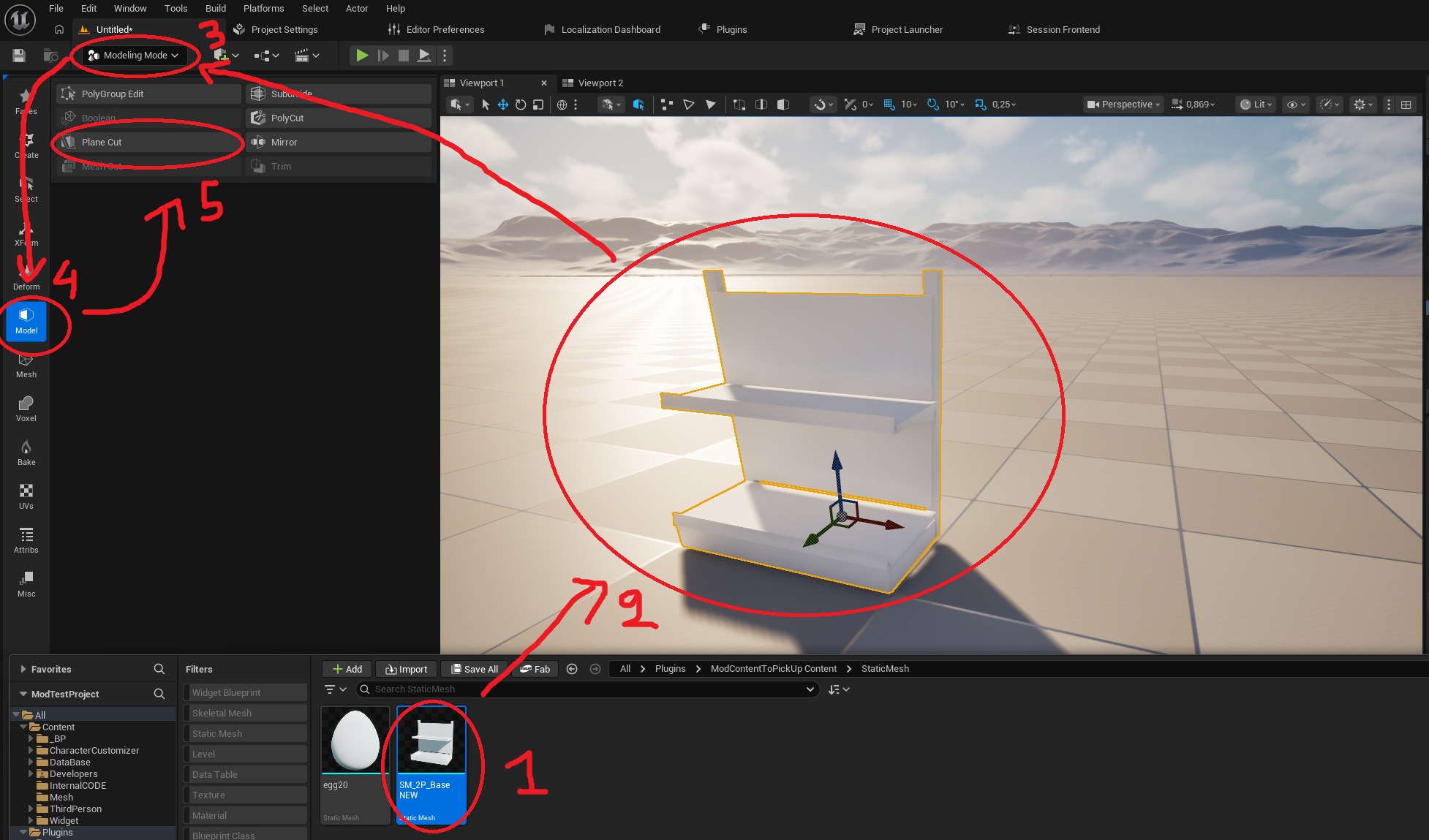
Here we will learn how to cut a static mesh:
- 1-First, drag the static mesh you imported using (How import Static Mesh) onto the map,
- 2-then by clicking on the static mesh on the map (that you just dragged),
- 3-select "Modeling Mode" in the top left corner,
- 4-then "Model"
- 5-and finally "Plane Cut".
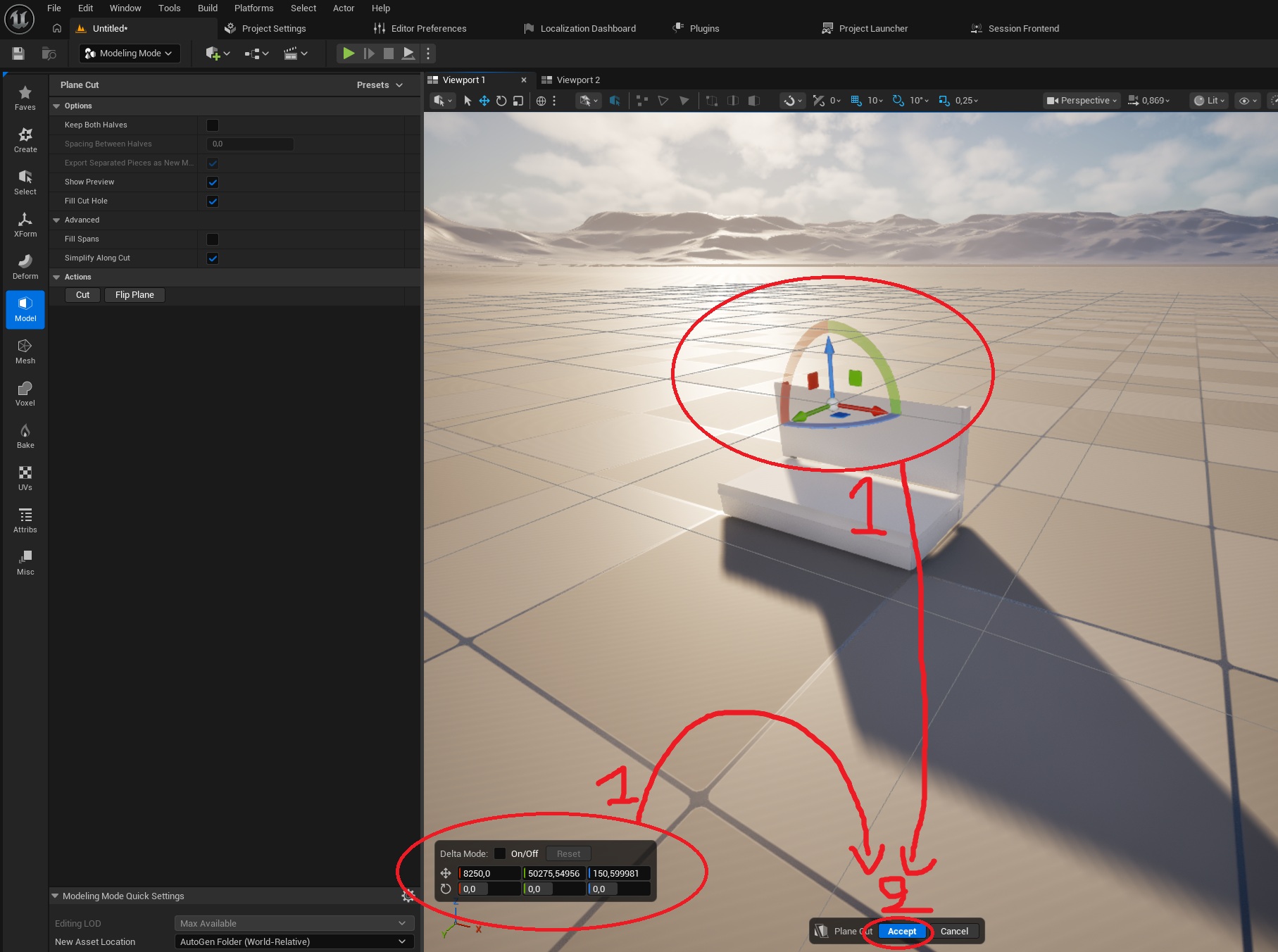
- 6-Select the position or rotation you want to cut your static mesh using the arrows (in the middle) or the values (bottom left).
- 7-Then select "Accept" at the bottom center of the screen
- 8-your static mesh is now cut!