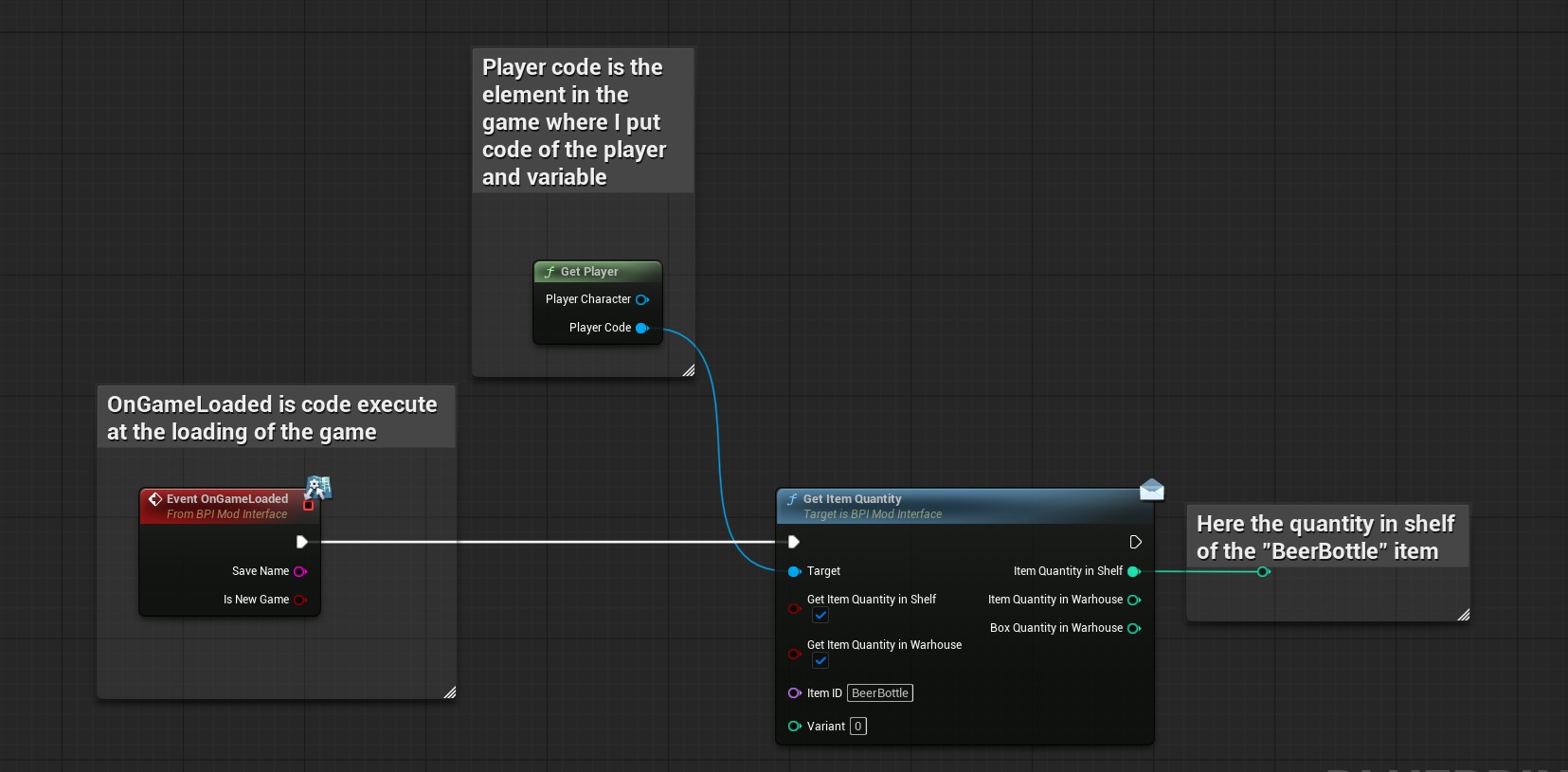
The "GetItemQuantity" event is used to get the quantity of a item in the shelf or/and the warhouse.
To get the quantity of a item, you can use the “GetItemQuantity” interface with the following inputs:
- ‘Target’ = The “PlayerCode” reference from the “Get player” function
- ‘GetItemQuantityInShelf’ = Check this box if you want the function to return the quantity of items on the shelves.
- ‘GetItemQuantityInWarhouse’ = Check this box if you want the function to return the quantity of items and box on the warhouse.
- ‘ItemID’ = Enter the ID of the item for which you want to know the quantity.
- ‘Variant’ = Enter the ID of the item for which you want to know the quantity.
Here's what the outputs correspond to:
- ‘ItemQuantityInShelf’ = returns the quantity of items on the shelves with the item ID and variant entered as input (This only works if the "GetItemQuantityInShelf" box is checked.)
- ‘ItemQuantityInWarhouse’ = returns the quantity of items on the warhouse with the item ID and variant entered as input (This only works if the "GetItemQuantityInWarhouse" box is checked.)
- ‘BoxQuantityInWarhouse’ = returns the quantity of box on the warhouse with the item ID and variant inside, entered as input (This only works if the "GetItemQuantityInWarhouse" box is checked.)