×
![]()
How do translate a mod
- 1-To translate a mod, you can either make your own language selection from a menu (using this documentation:Create an application on the PC) or you can retrieve the game language chosen by the player using the function:
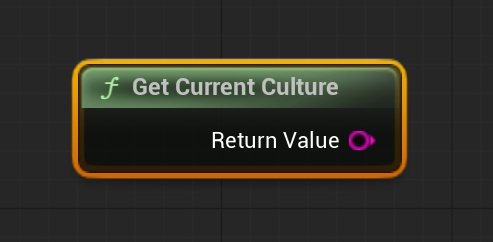
- 2-The function returns two characters corresponding to the chosen language. Here are some examples of the returned character and its corresponding language:
- en = English
- fr = French
- pt = Portuguese
- de = Deutsch
- nl = Dutch
- ru = Russian
- tr = Turkish
- es = Spain
- pl = Polish
- ja = Japanese
- it = Italian
- no = Norwegain
- hu = Hungarian
- cs = Czech
- da = Danish
- zh-Hans = Chinese
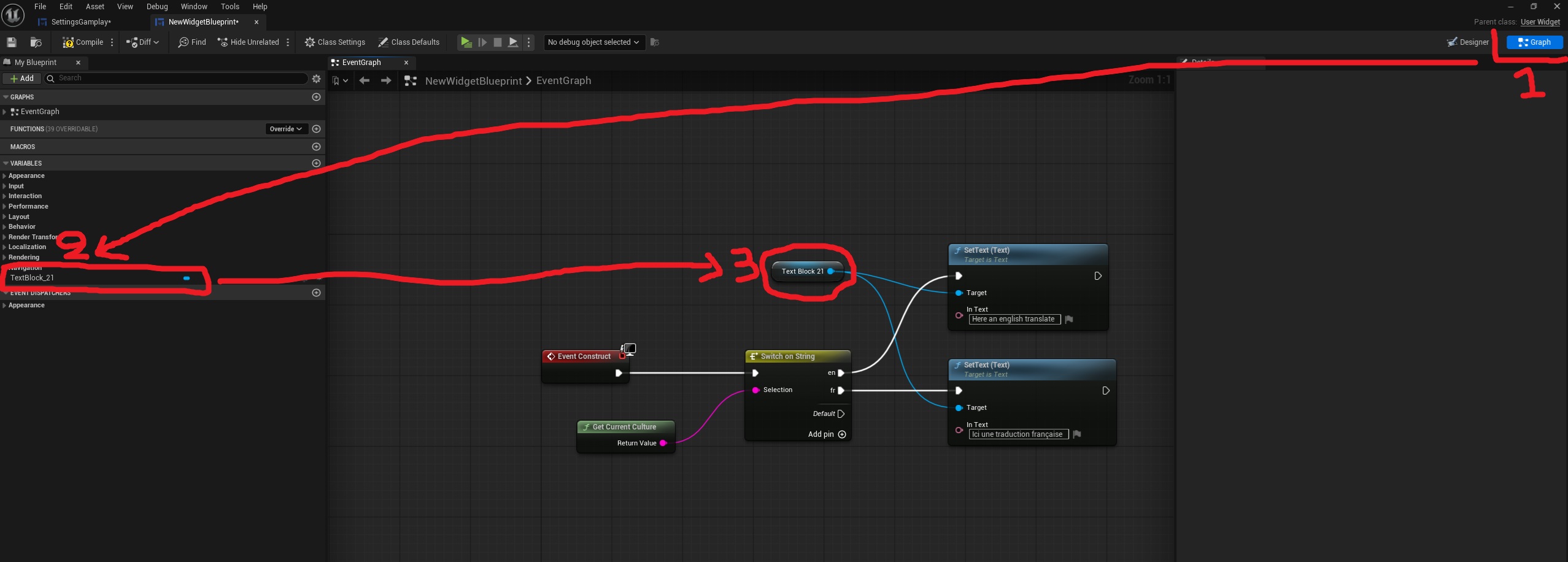
- 3-For each menu/widget containing text, we will change the text using the "Event Construct" which is executed when the menu is initialized or "BeginPlay" for Blueprint.
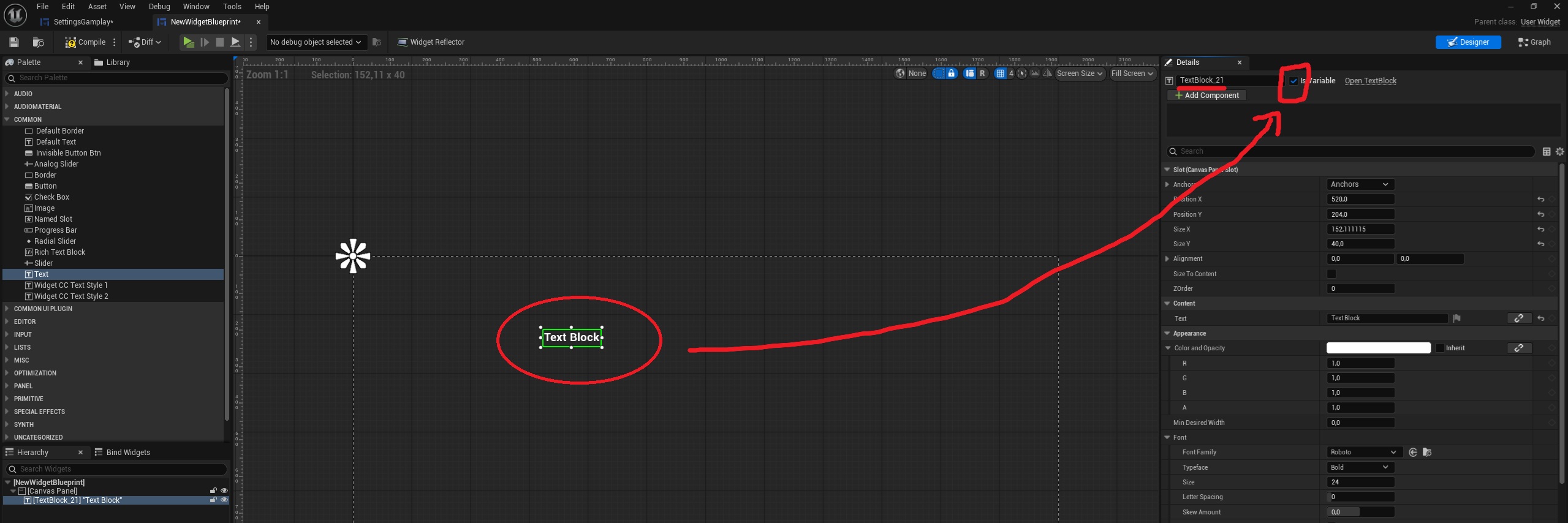
- 4-For menus, to change text from the code, you will need to verify that the text is usable in the code by checking (in the widget designer part) the "IsVariable" box in the top right of the widget (after selecting the desired text).
- 5-Next, in the "Graph" section of the widget, drag the text you want to translate, which is now available in the left-hand list, to the graph in the middle of your screen to "Get" it.
- 6-Finally, after the "EventConstruct," we'll add a "switch on string." Click on it (the "Details" panel on the right should display the switch menu) and add the languages you want to translate. Then, use "SetText" with the text variable you dragged in earlier and enter your translations.
- 7-If you've done everything correctly, the code should look something like this: