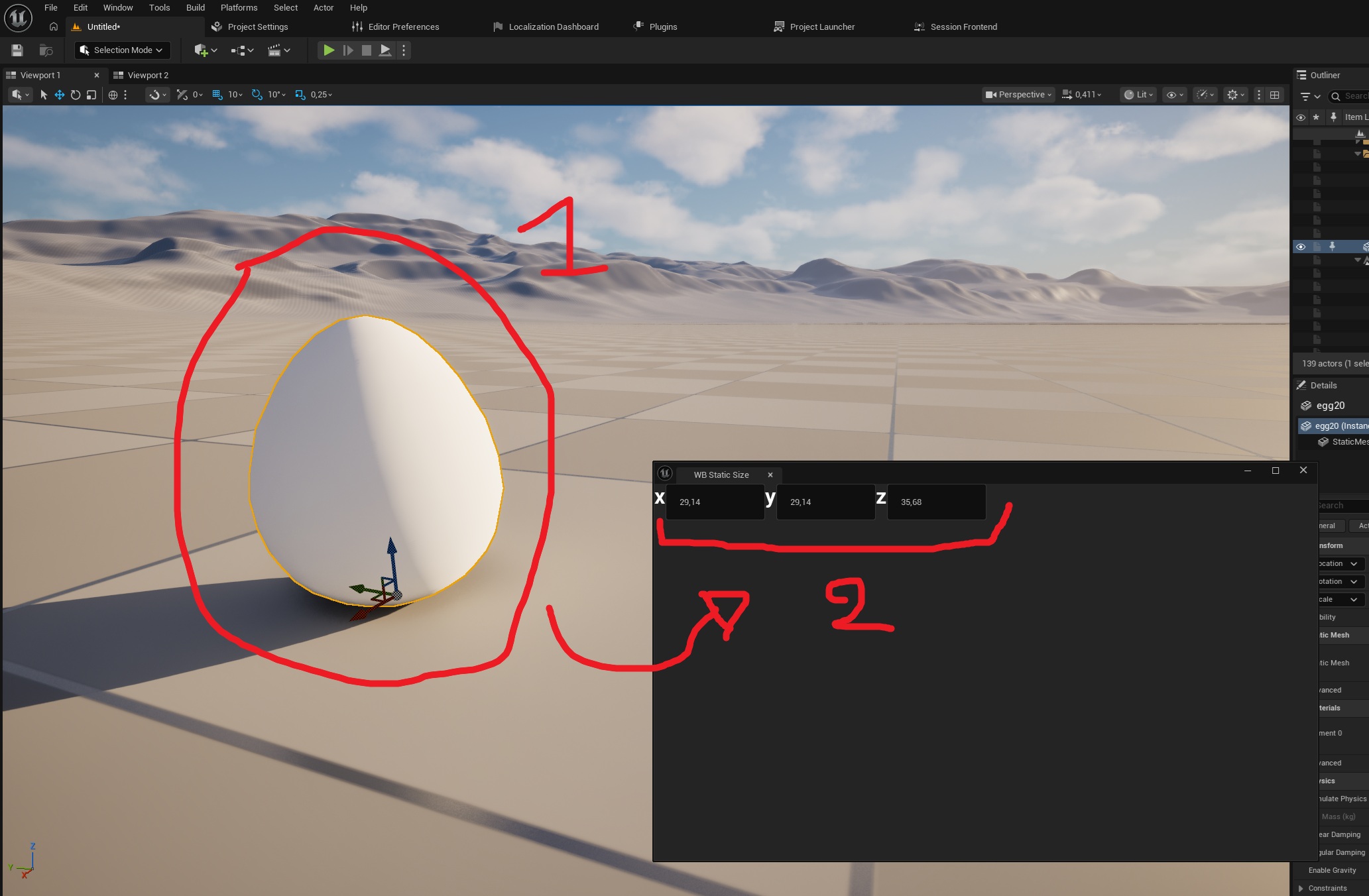
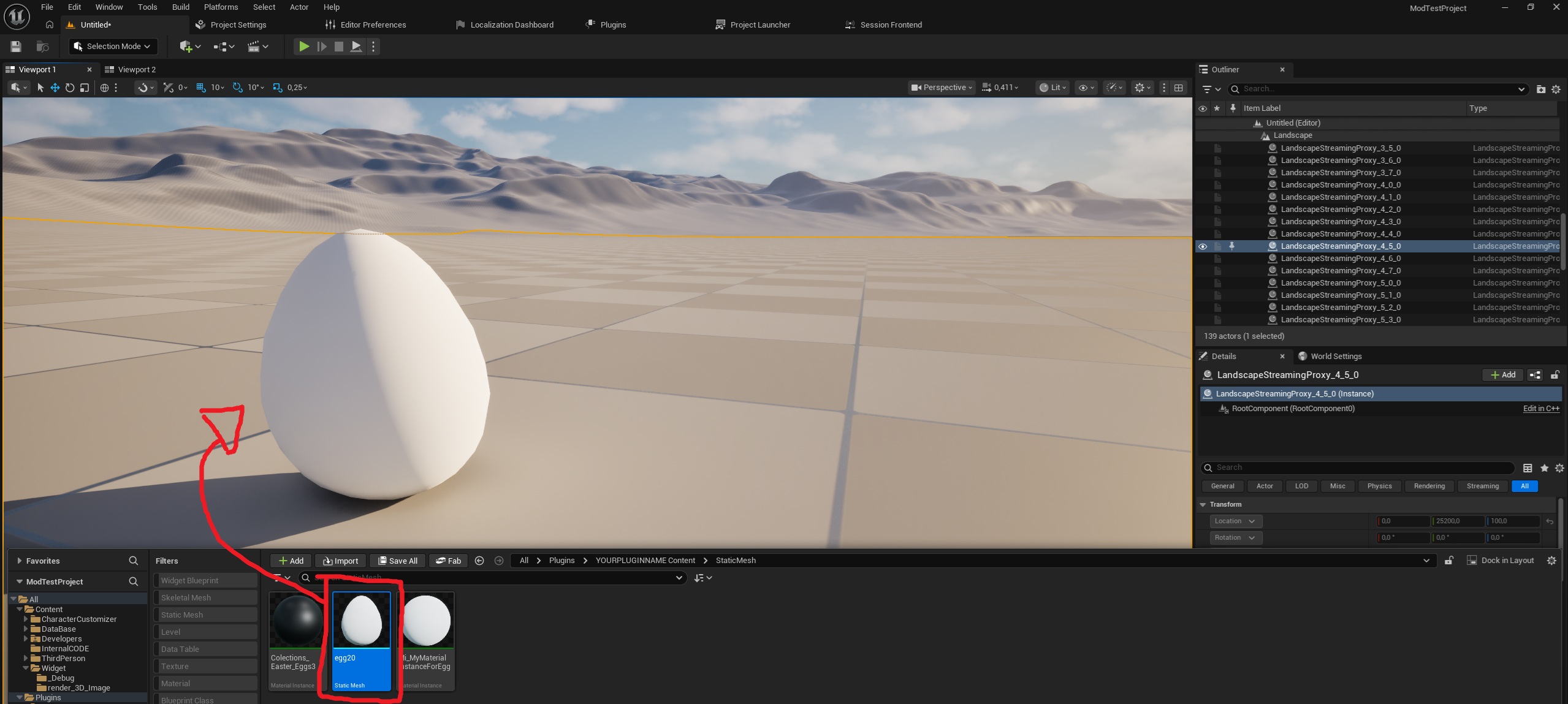
Here, we'll learn how to find the size of a static mesh in centimeters. First, we'll need to drag the static mesh onto the map.
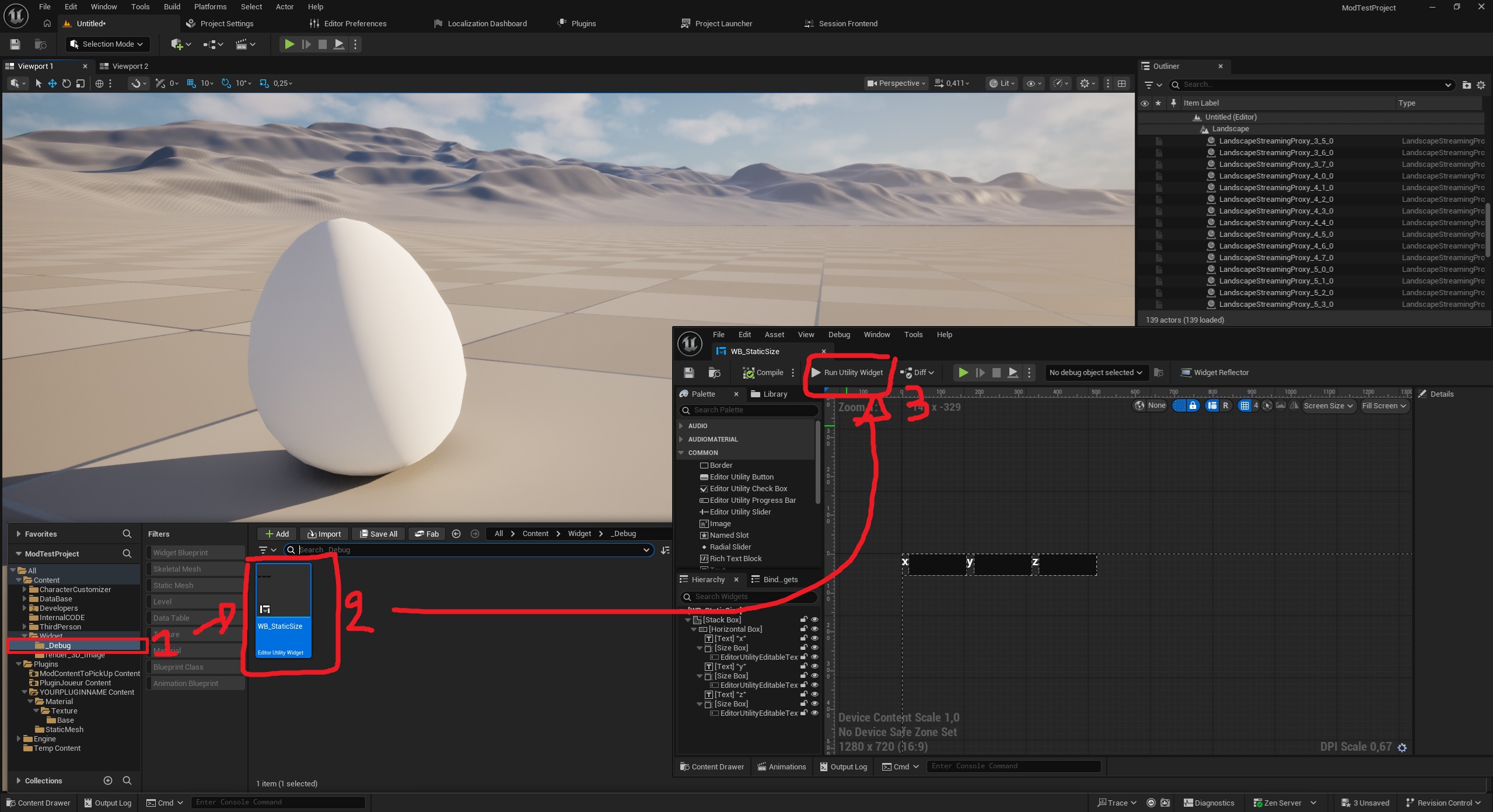
Once you've dragged it, we'll use a tool located in All>Content>Widget>_Debug. The tool is called “WB_StaticSize.” Open it and click on “Run Utility Widget.”
Finally, click on the object you dragged onto the map, and the window that opened when you clicked “Run Utility Widget” will display the dimensions of your object along all axes.