Welcome to the official documentation for creating a mod for BetterMart
The mod creation tool lets you create in-game events, change item prices, create new menus, new objects (arcade machines, mini-games), new items, and much more!
This means you'll be able to inject “Blueprint” code into the game and access many of the game code's function.
-->You will NOT need any basic knowledge of coding or the Unreal Engine if you want to add articles/furnitures or decoration.
Please put all textures, materials, and static mesh in the root directory of your mod, otherwise it won't work in-game (I'm working on the issue).
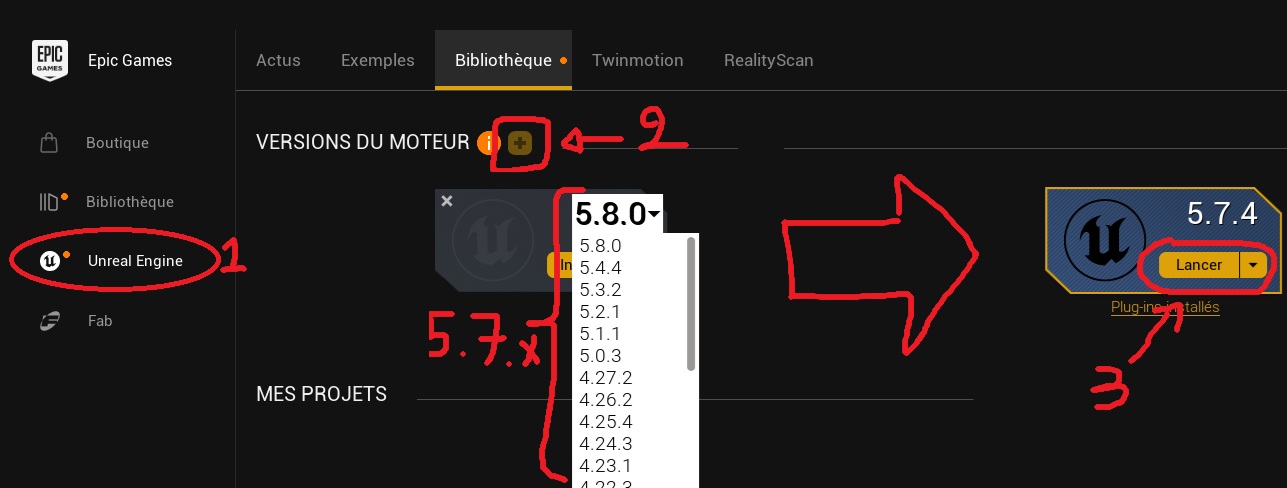
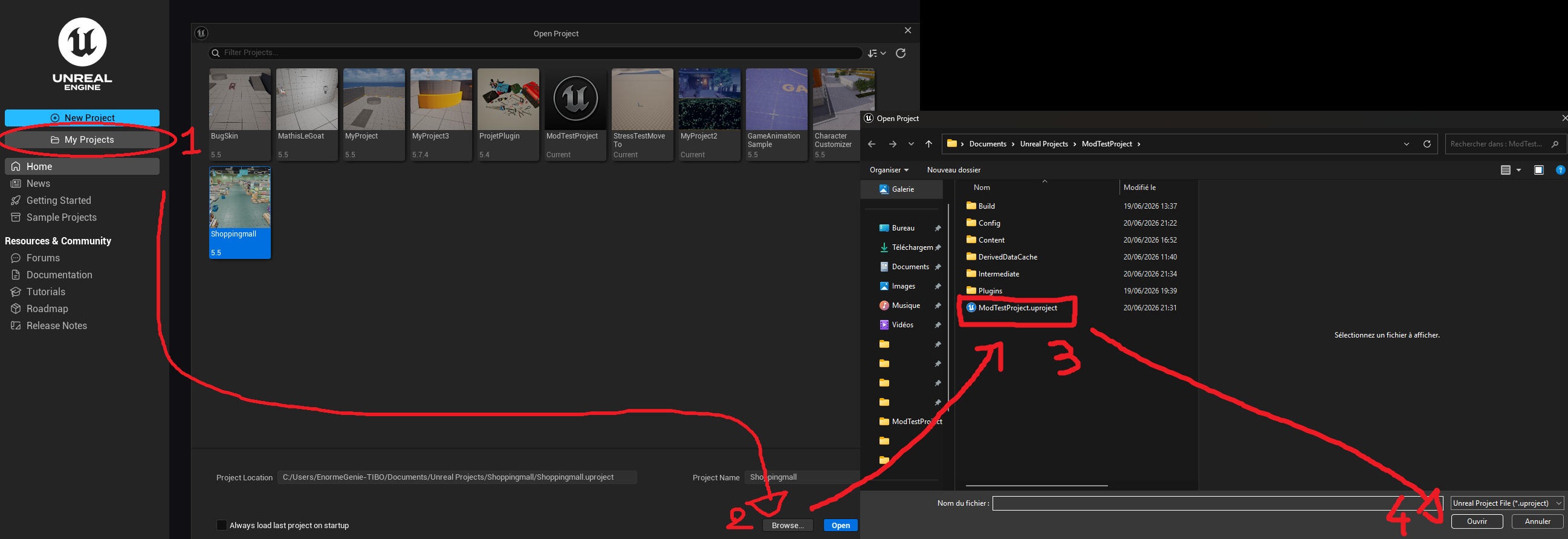
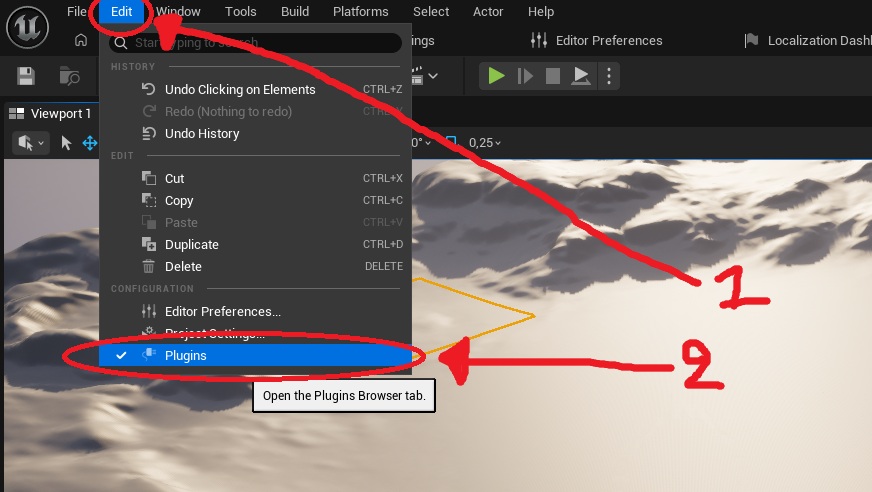
A window should open; you can close it and restart the editor after saving everything.
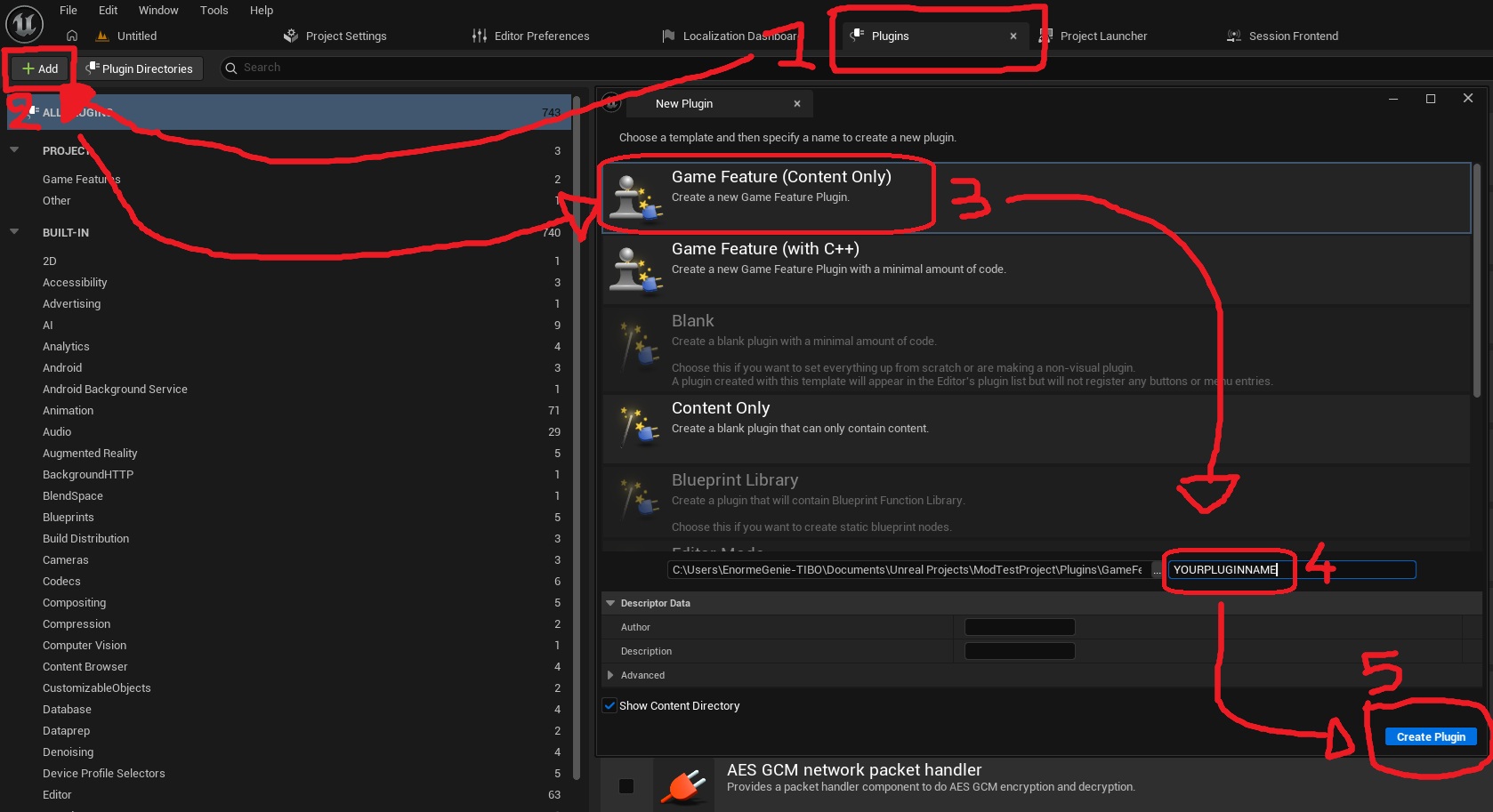
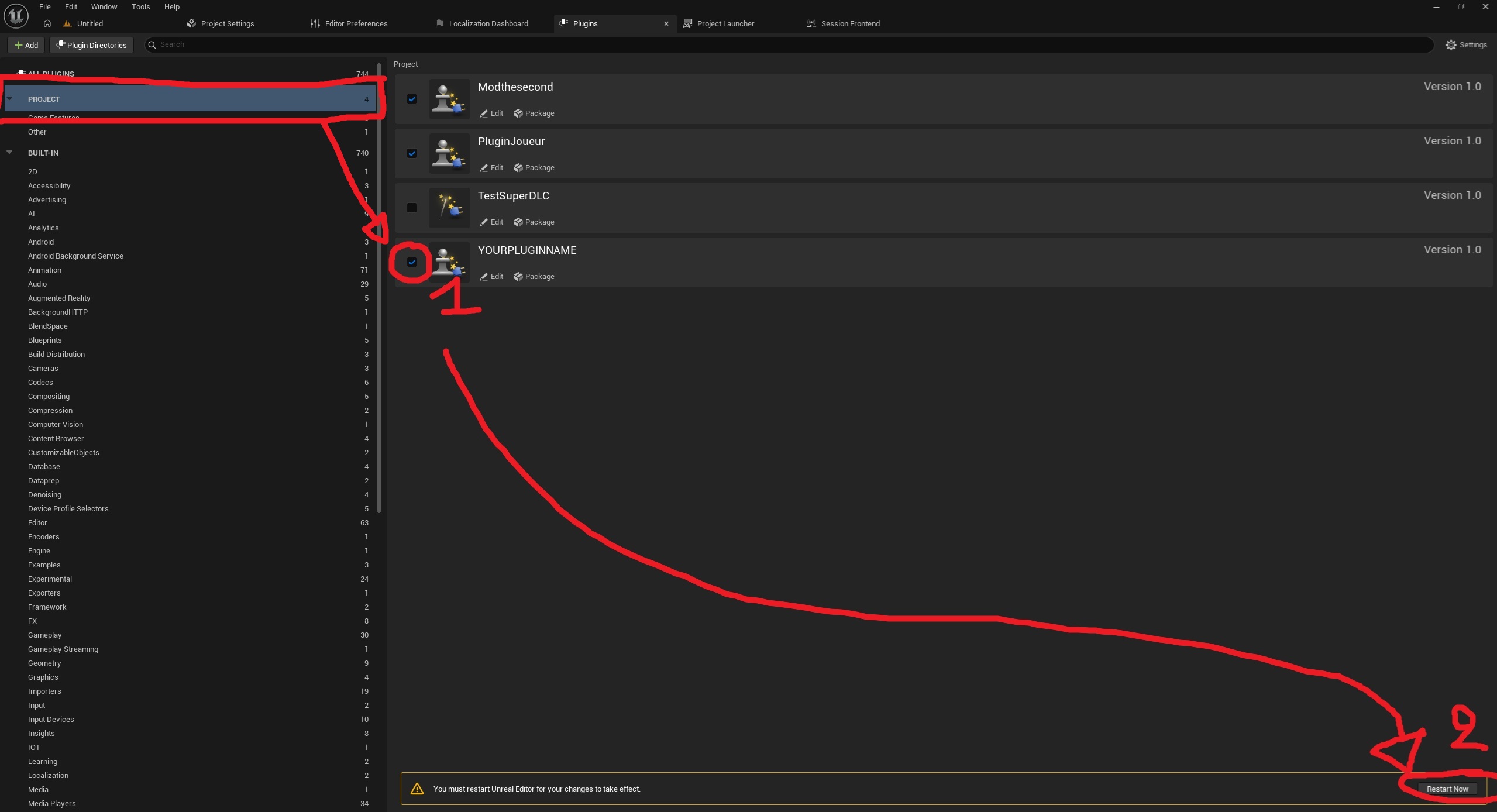
After restarting the project, you'll need to repeat the steps to open the plugins window, but this time, instead of creating a plugin, we'll activate the one we created earlier. Click “Project” in the list on the left, then check the box next to your plugin, and finally click “Restart Now” again.
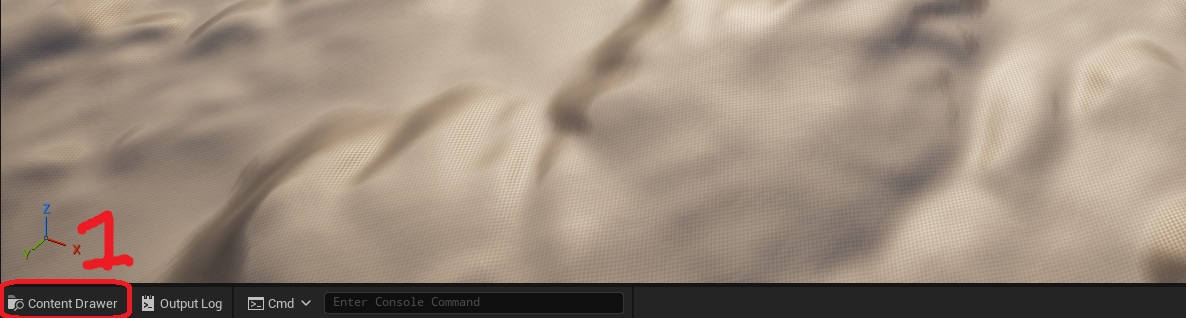
Once the project has been restarted, you'll see an empty map, it serves no purpose. You can open the Unreal Engine File Explorer by clicking the button in the lower-left corner of the engine (or using the shortcut Ctrl+Space).
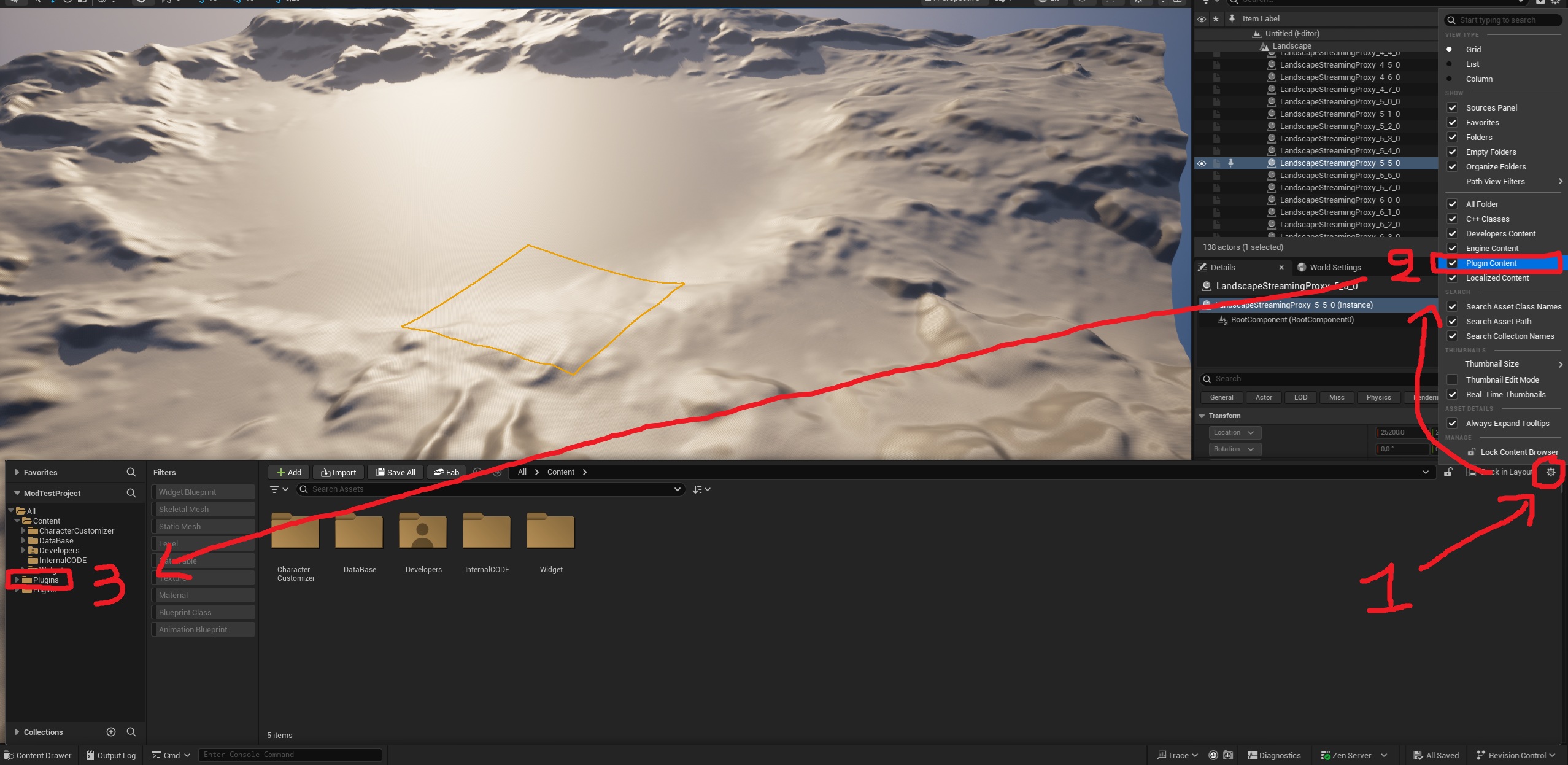
Once File Explorer is open, in the upper-right corner of File Explorer, you can check the “Plugin Content” box, and you should see the ‘plugin’ folder in the list on the left side of File Explorer. You can then open the “plugin” folder.
Once you're on the active plugins page, you'll see two plugins: one called “ModContentToPickUp” and your mod “YOURPLUGINNAME.” You can open “ModContentToPickUp,” select all its content by holding down “Ctrl,” then drag the content into your ‘YOURPLUGINNAME’ and select “Copy,” and finally, you can open the content of the plugin you created
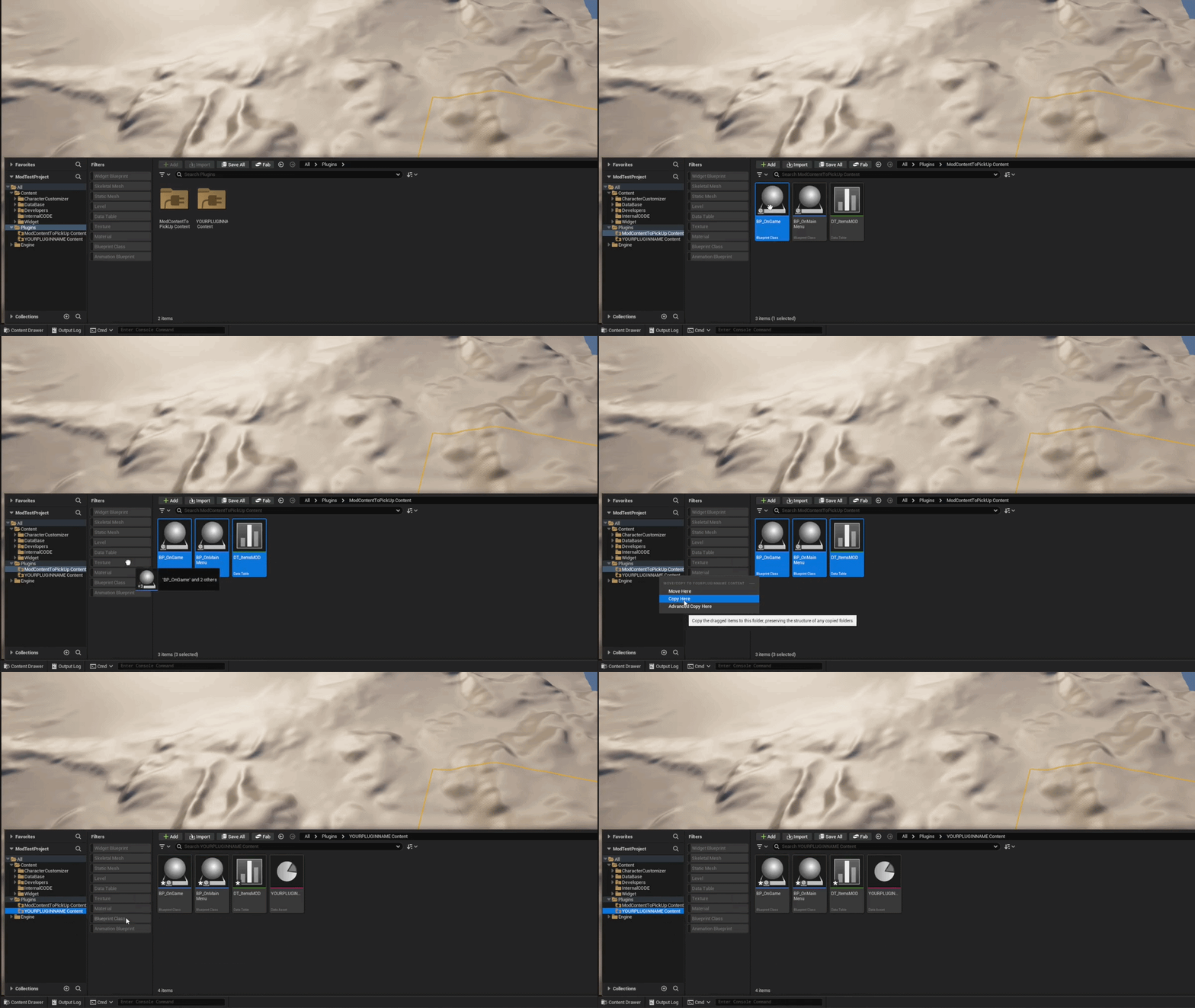
If you've made it this far, congratulations! you've successfully initialized your plugin! Now here are a few details before you can modify the mod:
In your mod, you have a lot of files, here is the three main files:
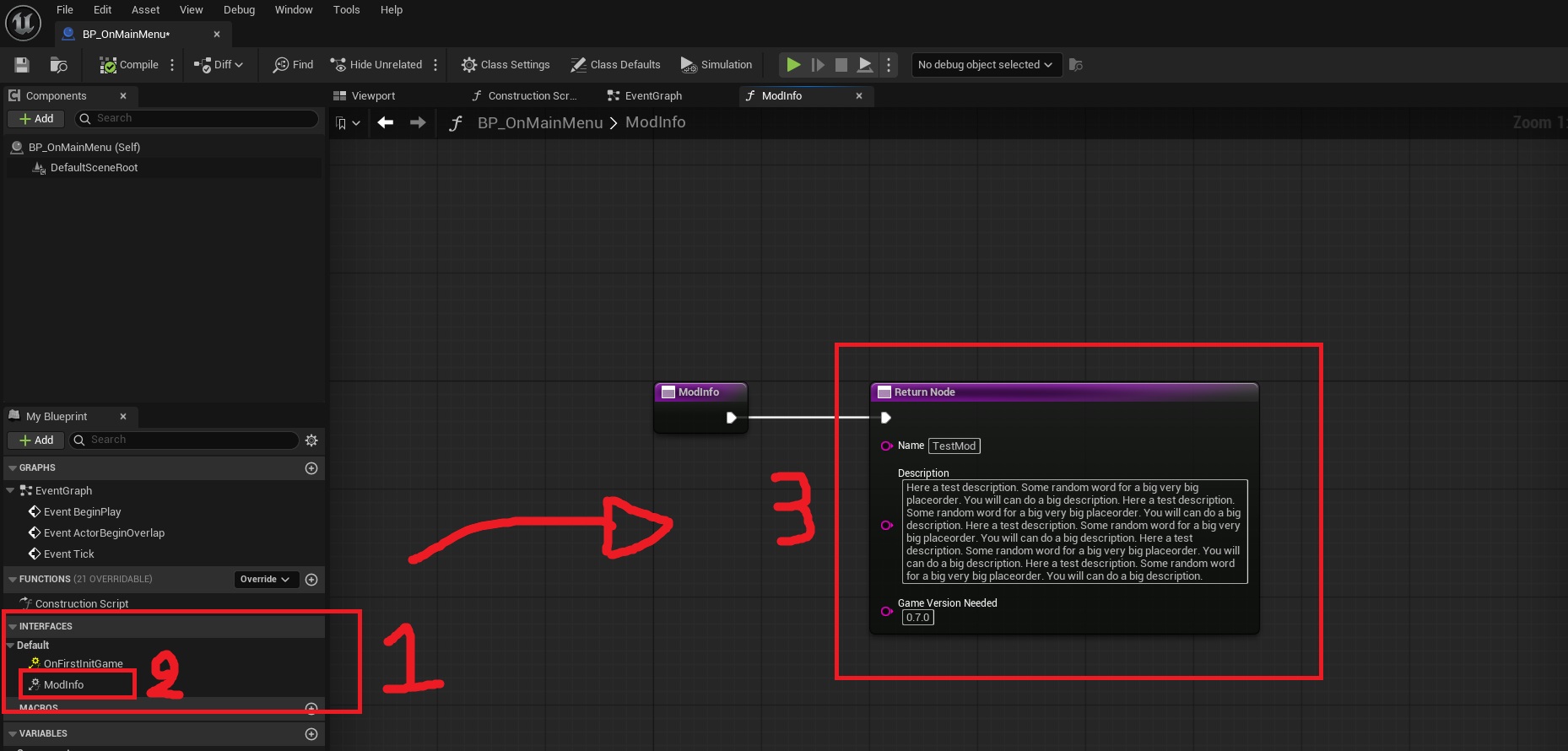
First, open “BP_OnMainMenu”; we're going to edit the details that players can see about your mod. Once it's open, on the left you'll see an ‘Interface’ category, and within that, a “ModInfo” function. Click on it, and the function will open. Then all you have to do is enter your mod's information there!
Finally, in “BP_OnGame” there are also ‘interface’ functions. These are events that run during specific in-game events (e.g., “OnJump” runs only when the player jumps).
Now you all have the chance to create a mod on BetterMart! If you want more details on how to create an item or other mods, browse the categories on the left!