Getting started
Here's how to configure interactions with chain points on your Twitch channel:
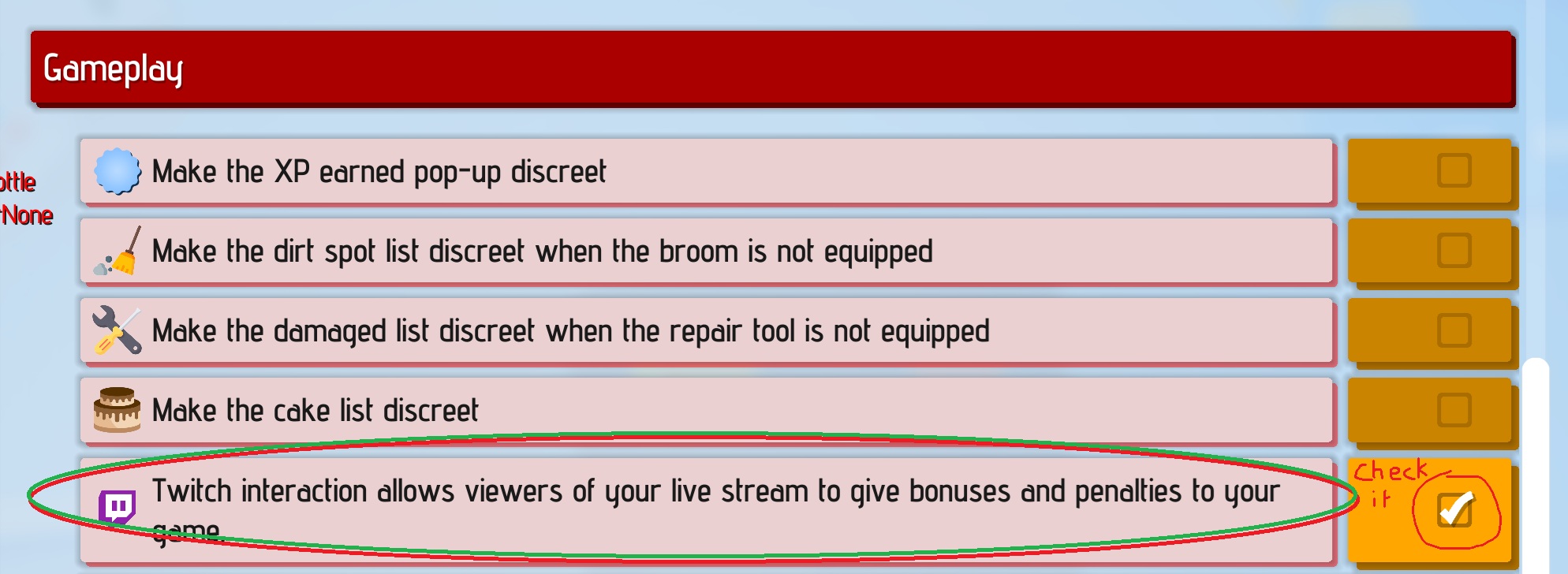
On Game:
Check the "integration twitch ?" in the game settings.
On Twitch:
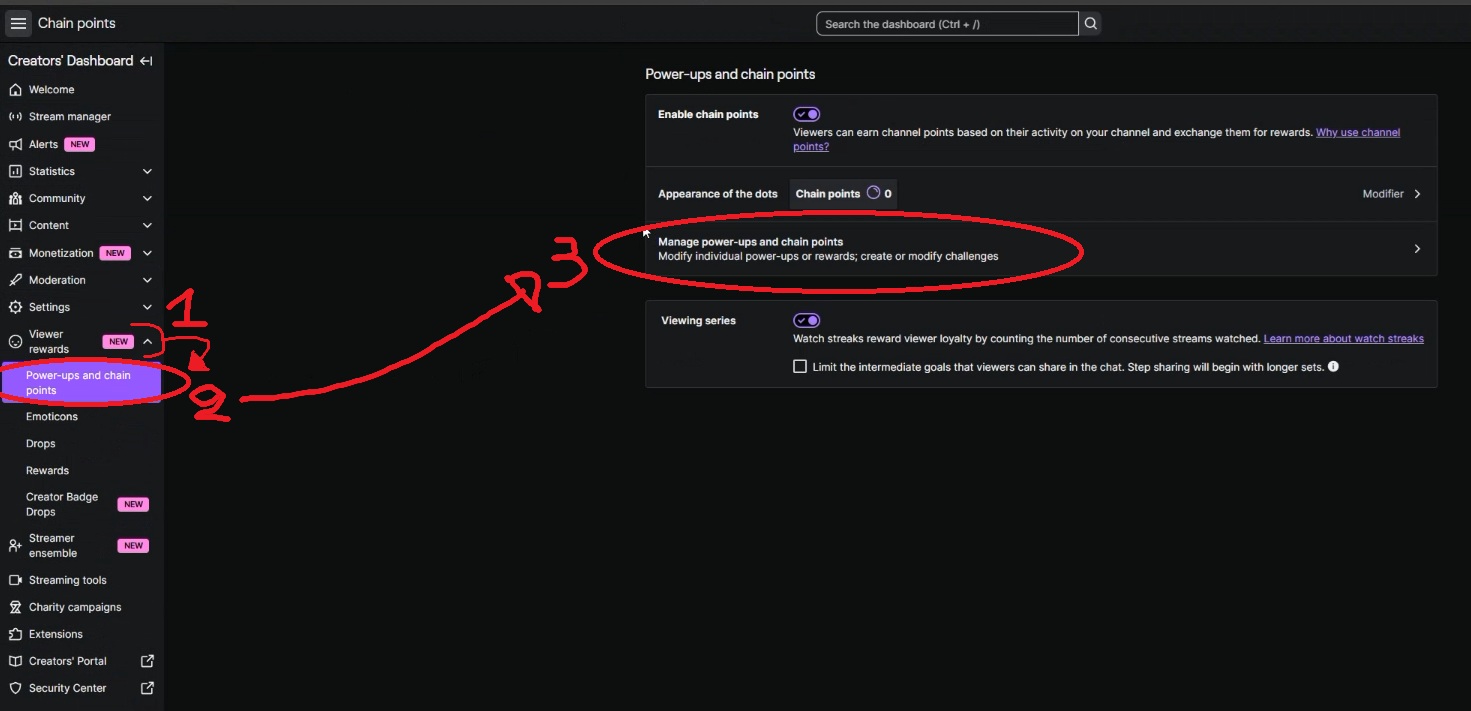
1 - Go on "Creators' Dashboard:"
2 - Select "Viewer rewards"
3 - Open the category "Power-ups and chain points"
4 - Open the window "Manage power-ups and chain points"
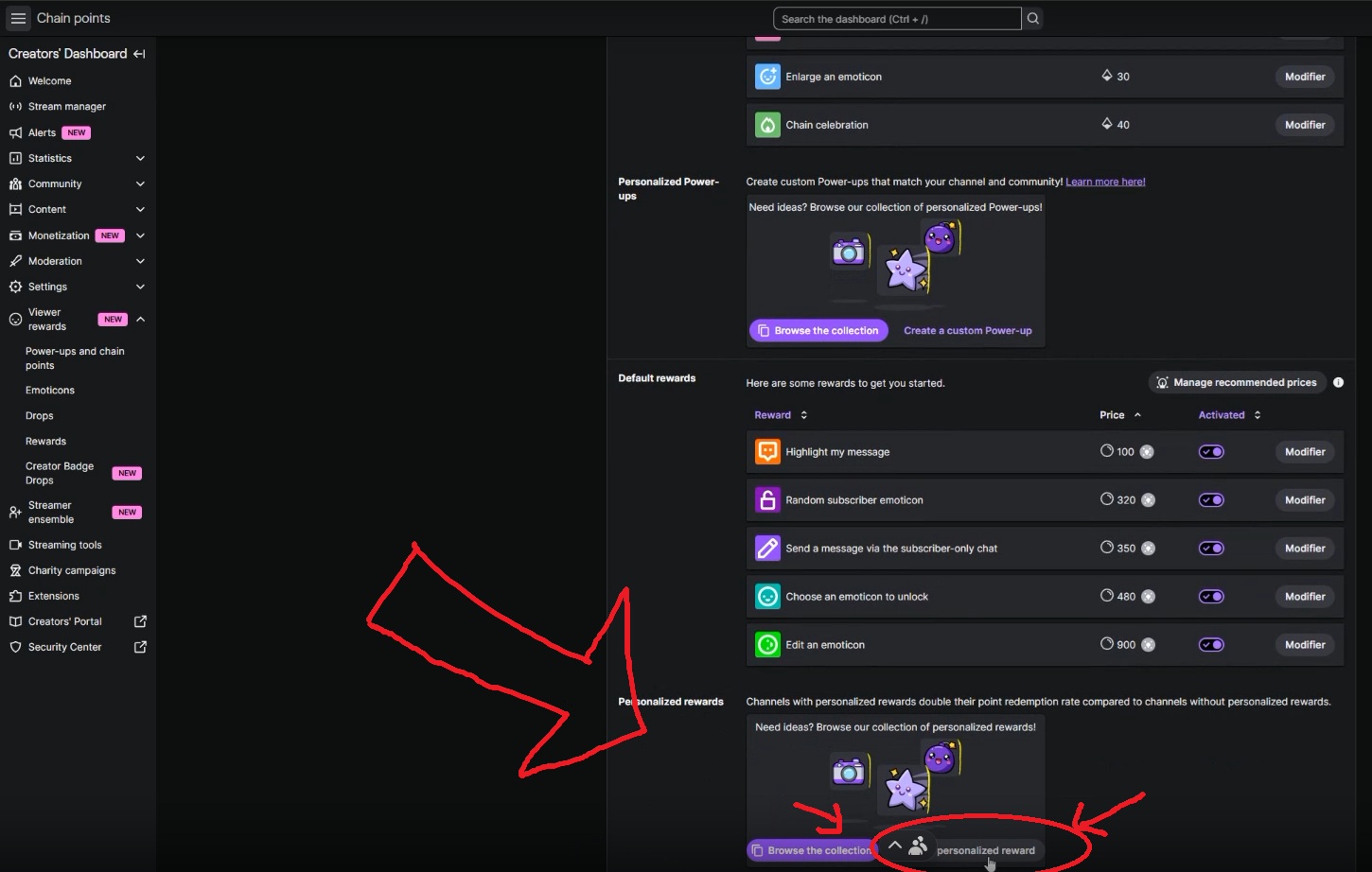
5 - Add a "personalize reward"
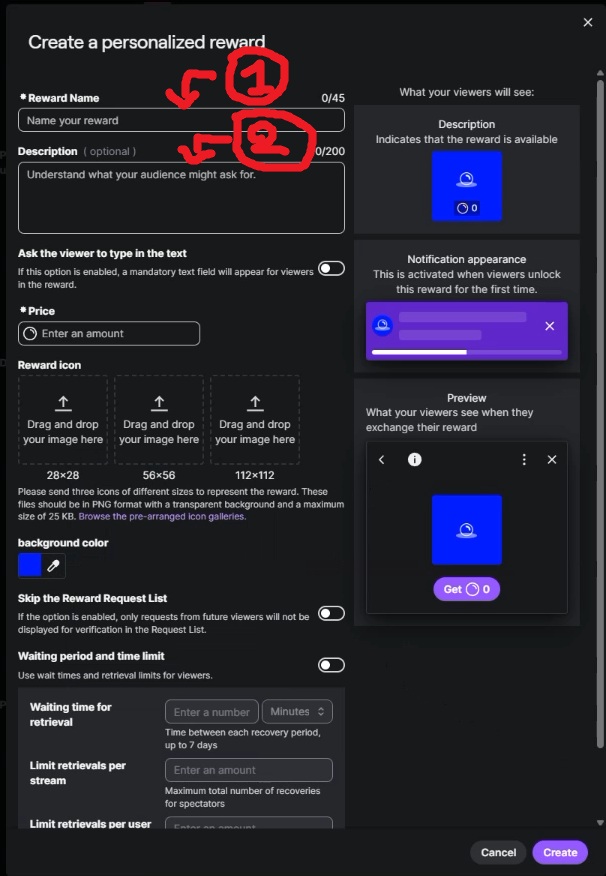
6 - Name your reward like you want, it will be displayed for viewers ("1" on the screen)
7 - Add in the description the ID in this link : Click here to see the list of id reward . It will link the Twitch reward to the event you have choose the ID. ("2" on the screen)